
Duolingo: Language Lessons
Category
Education
Downloads
500M+
Developer
Duolingo
Available on
Android, iOS
OS









Overview
For anyone looking to pick up a new language, or brush up on an old one, accessibility is key. Many applications promise an easy path to fluency, but few have achieved the widespread recognition and user base of Duolingo: Language Lessons. This educational app has become a household name, celebrated for its gamified approach to language acquisition. It aims to make learning engaging and approachable for millions worldwide, from complete beginners to intermediate students. This review will explore its core features, highlight its strengths and weaknesses, and provide a clear guide on how to get started with this popular platform.
Key Features
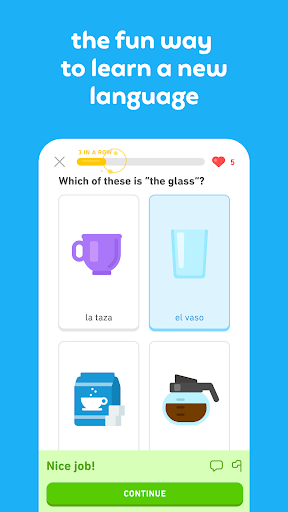
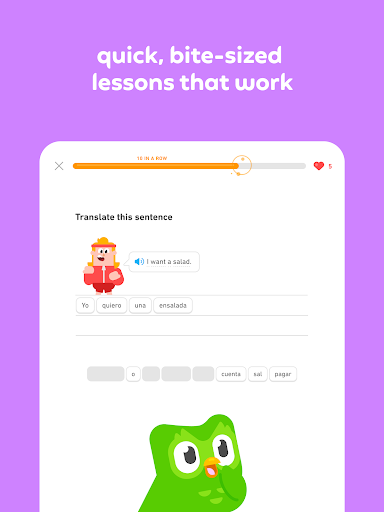
- Engaging, bite-sized lessons covering reading, writing, listening, and speaking skills.
- Gamified progress system with points, streaks, and unlockable levels for motivation.
- Personalized learning paths that adapt to your individual pace and progress.
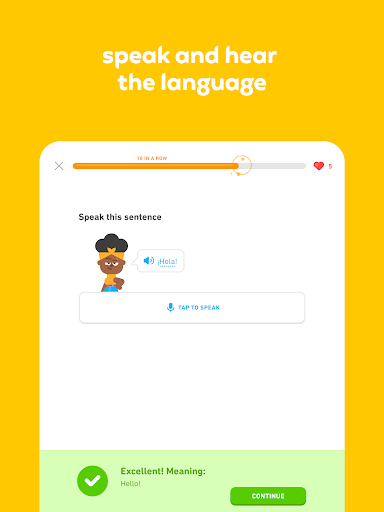
- Voice recognition technology designed to help users refine their pronunciation.
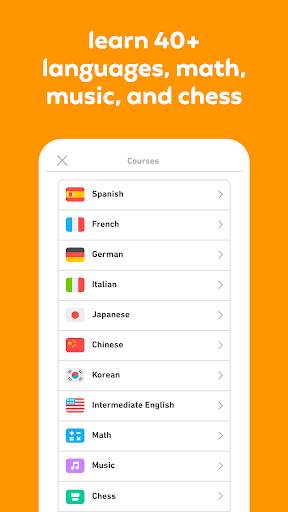
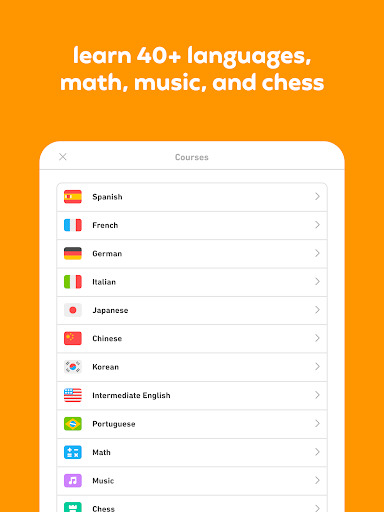
- Offers an extensive catalog of over 40 different languages to choose from.
- Includes an offline mode, allowing continued learning without an internet connection.
Pros & Cons
Pros
- Highly accessible with many core features available at no cost.
- Engaging gamified structure effectively encourages consistent daily practice.
- Intuitive and user-friendly interface makes navigation straightforward for all ages.
- Offers the convenience of offline learning for study on the go.
- Provides a strong foundation in vocabulary and basic sentence construction.
Cons
- Voice recognition can sometimes be inconsistent in accurately assessing pronunciation.
- Grammar explanations are often superficial, lacking comprehensive detail.
- Repetitive exercise formats may lead to a feeling of monotony over time.
- Full access to features and an ad-free experience require a paid subscription.
How to Use Duolingo: Language Lessons
- Download and install Duolingo: Language Lessons from the Google Play Store.
- Open the app and select the language you wish to begin learning.
- Choose your starting point, either as a complete beginner or by taking a placement test.
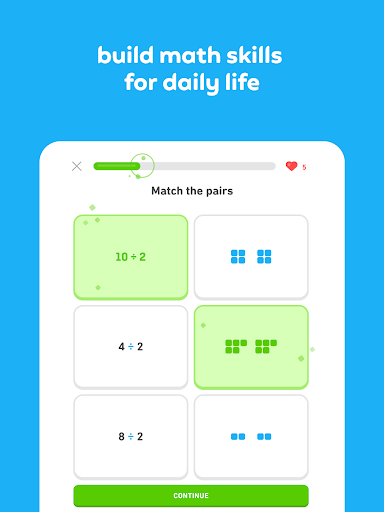
- Complete the bite-sized lessons, focusing on reading, writing, and listening exercises.
- Earn points and maintain your daily streak by consistently finishing lessons.
- Review previously learned material to reinforce vocabulary and grammatical concepts.
- Practice speaking using the built-in voice recognition feature for pronunciation feedback.
Frequently Asked Questions
Is Duolingo truly free to use?
Most of the core language lessons and features are available for free. There is an optional premium subscription (Duolingo Plus/Super) that removes ads and offers additional benefits like unlimited hearts and offline course downloads.
What languages can I learn with this app?
The platform offers lessons for over 40 languages, including popular choices like Spanish, French, German, Japanese, and English. It also covers less common languages and even some constructed languages.
Can I use Duolingo without an internet connection?
Yes, the app includes an offline mode. You can download lessons in advance to continue learning and practicing even when you don't have access to Wi-Fi or mobile data.
Does Duolingo help with speaking skills?
It incorporates voice recognition technology to assist with pronunciation practice. While helpful for basic sounds, some users find its accuracy for nuanced speaking practice to be limited compared to real-life conversation.
Is an account required to use the app?
While you can start some lessons as a guest, creating a free account is recommended. This allows you to track your progress, maintain your learning streak, and synchronize your progress across multiple devices.
How effective is Duolingo for becoming fluent?
Duolingo is an excellent tool for beginners and for building a strong foundational vocabulary and grammar. However, achieving fluency typically requires additional resources like conversation practice with native speakers and more in-depth grammar study.
Similar to This App

Simple Bible Daily Verse Alarm
Education

Gauth: AI Study Companion
Education

Speak: Language Learning
Education

Learn English, Spanish: Learna
Education

ABCmouse: Kids Learning Games
Education

Spark: Puzzles for the Curious
Education

PictureThis - Plant Identifier
Education

LeafCheck: Plant Identifier
Education

Epic: Kids' Books & Reading
Education

Find The Cat - Spot It!
Game Puzzle
Hot Apps
Simple Bible Daily Verse Alarm
Education
Gauth: AI Study Companion
Education
Speak: Language Learning
Education
Learn English, Spanish: Learna
Education
ABCmouse: Kids Learning Games
Education
Spark: Puzzles for the Curious
Education
PictureThis - Plant Identifier
Education
LeafCheck: Plant Identifier
Education
Epic: Kids' Books & Reading
Education
Find The Cat - Spot It!
Game Puzzle