
Health Sense: Track & Record


Overview
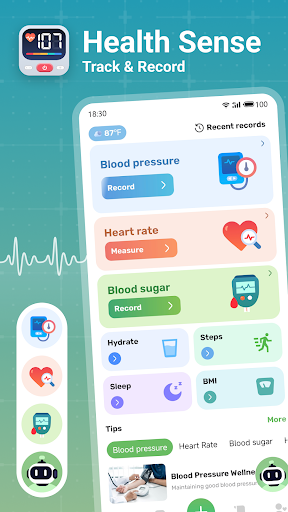
For individuals closely monitoring their blood sugar, finding a reliable and comprehensive tracking application can be crucial for managing health effectively. Health Sense: Track & Record aims to be that essential tool, providing a dedicated platform for logging glucose levels, analyzing trends, and staying on top of medication and meal schedules. This app is designed for anyone, from those newly diagnosed with diabetes to users simply interested in maintaining wellness through diligent glucose monitoring. With over 10 million downloads, it suggests a significant user base relies on its features. This review will delve into its core functionalities, evaluate its user experience, and highlight both its strengths and any potential areas for improvement, helping you decide if it’s the right fit for your personal health regimen. We'll cover everything from data entry and reporting to reminders and security, offering a balanced perspective on what to expect.
Key Features
- Effortlessly log daily blood sugar readings, either manually or via device sync.
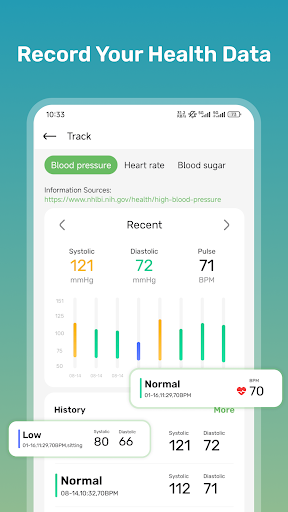
- Generate personalized reports to visualize long-term trends and patterns in glucose levels.
- Set customizable reminders for glucose checks, medication times, and meal schedules.
- View health progress through interactive charts and graphs for quick data understanding.
- Securely stores all personal health information, ensuring user privacy and data protection.
- Offers comprehensive tracking capabilities suitable for various levels of user experience.
Pros & Cons
Pros
- Dedicated focus on blood sugar management provides specialized tools.
- Offers both manual input and synchronization with compatible external devices.
- User-friendly interface makes tracking accessible for a wide range of users.
- Detailed reports and visualization tools aid in understanding health trends.
- Core tracking functionalities are available without an immediate paywall.
Cons
- Some advanced analytical features are locked behind a premium subscription.
- Limited compatibility with certain third-party glucose monitoring devices.
- Users have reported occasional issues with data synchronization.
- Average rating of 3.83 suggests some users encounter frustrations.
How to Use Health Sense: Track & Record
- Install the Health Sense: Track & Record app from the Google Play Store.
- Create your user profile by entering basic health information and preferences.
- Input your first blood sugar reading, either manually or by connecting a compatible device.
- Set up personalized reminders for your glucose checks, medication, or meal times.
- Explore the interactive charts and reports to visualize your initial health data.
- Review your daily logs and adjust settings as needed for continuous monitoring.
Frequently Asked Questions
Is Health Sense: Track & Record free to use?
Can I sync the app with my glucose monitor?
How does the app ensure my health data is secure?
What if I forget to log a reading?
What kind of insights can I get from my data?
Is this app suitable for all Android devices?
Similar to This App


Hot Apps