
Going Balls




Overview
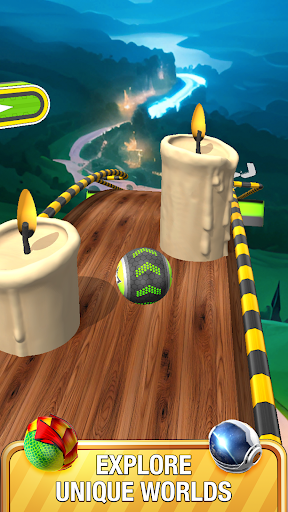
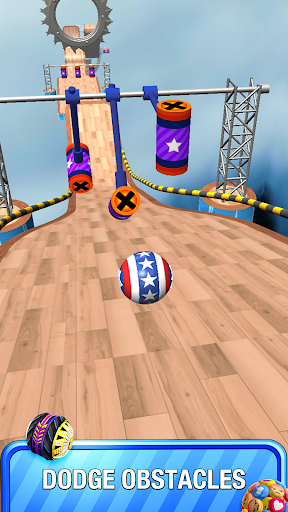
For those seeking a straightforward yet engaging mobile game to pass the time, a popular contender in the casual gaming space is Going Balls. This 3D arcade title from Supersonic Studios LTD challenges players to skillfully navigate a rolling ball through a vibrant gauntlet of obstacle-filled levels. With over 100 million downloads and a solid 4.25-star average rating, it has clearly resonated with a vast audience, from casual players looking for a quick diversion to those who enjoy a more persistent challenge. The game promises an immersive experience with its eye-catching visuals and intuitive controls, designed to be accessible for all ages. This review will delve into what makes this game so widely adopted, outlining its core features, gameplay mechanics, and what prospective players can expect in terms of both enjoyment and potential drawbacks, helping you decide if it’s the right fit for your mobile gaming library.
Key Features
- Control a customizable rolling ball through dynamic 3D obstacle courses.
- Navigate intricate tracks featuring ramps, loops, and various traps.
- Collect coins, keys, and power-ups to unlock new content and rewards.
- Experience diverse gameplay with challenge and race modes available.
- Enjoy intuitive swipe controls for acceleration, steering, and braking.
- Progress through uniquely designed levels offering fresh gameplay experiences.
- Unlock new ball skins and bonus levels using collected in-game currency.
Pros & Cons
Pros
- Simple, intuitive controls make it easy to pick up and play.
- Vibrant 3D graphics and smooth physics create an engaging experience.
- Offers a wide variety of levels and game modes for sustained interest.
- High download count and solid rating suggest broad appeal.
- Family-friendly design suitable for players of diverse ages.
Cons
- Likely contains frequent in-game advertisements, common for free casual games.
- Progression might be slowed by needing to collect specific keys or coins.
- Reliance on in-app purchases for cosmetic items or faster unlocks.
- Some players may find the core mechanic repetitive over long sessions.
How to Use Going Balls
- Install the application "Going Balls" from your device's app store.
- Launch the game from your home screen or app drawer to begin playing.
- Swipe forward on the screen to accelerate your ball and begin moving.
- Steer by swiping left or right to navigate around obstacles and stay on track.
- Collect coins and keys as you roll to unlock new skins and bonus levels.
- Reach the finish line of each level to progress to the next challenge.
Frequently Asked Questions
Is Going Balls a free game?
Can I play Going Balls offline?
Does Going Balls require an account to play?
Are there in-app purchases in Going Balls?
What are the main objectives in Going Balls?
What kind of customization options are available?
Similar to This App


Hot Apps