
Magic Tiles 3™ - Piano Game















Overview
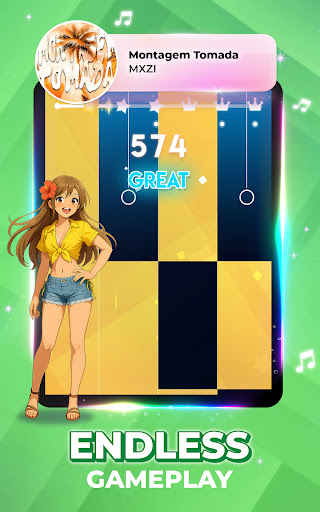
For those who enjoy testing their reflexes and musical timing, rhythm games offer an engaging blend of entertainment and challenge. This popular mobile title, Magic Tiles 3™ - Piano Game, stands out in the genre by inviting players to experience the sensation of playing piano through a simple tap-based interface. With hundreds of millions of downloads, it has clearly resonated with a vast audience, from casual players looking for a quick musical fix to more dedicated enthusiasts aiming for high scores. The app promises a diverse song library spanning various genres, alongside different play modes and the opportunity to use virtual instruments beyond just the piano. Our review will explore its core mechanics, highlight its strengths and weaknesses, and guide you through getting started with this widely-played music game.
Key Features
- Engaging rhythm-based gameplay challenges players to tap black tiles in sync with music.
- Access an extensive library of over 1,000 songs, from classical pieces to trending pop hits.
- Enjoy multiple game modes, including Solo, Battle, and Band, for varied musical challenges.
- Experiment with diverse virtual instruments like piano and guitar during gameplay sessions.
- Compete globally against friends and other players in the exciting and competitive Battle Mode.
- Experience an offline music game mode, allowing play without an active internet connection.
Pros & Cons
Pros
- Offers a vast and regularly updated library of over 1,000 songs across many genres.
- Intuitive tap-based gameplay makes it accessible for players of all skill levels.
- Includes various game modes, such as Solo, Battle, and Band, increasing replay value.
- Supports offline play for music enjoyment without an internet connection.
Cons
- Frequent in-app advertisements can interrupt gameplay flow.
- Progression often feels slow without resorting to in-app purchases for boosts.
- Can be demanding on device battery during extended play sessions.
How to Use Magic Tiles 3™ - Piano Game
- Install the app from the Google Play Store onto your Android device.
- Launch Magic Tiles 3 and complete any initial tutorial steps to understand basic tapping mechanics.
- Select a song from the extensive library, starting with easier tracks to practice timing.
- Tap the black tiles as they scroll down the screen, ensuring you hit them in rhythm.
- Hold down on longer tiles for sustained notes to score accurately.
- Avoid tapping any white tiles, as this will break your combo and reduce your score.
- Compete in Battle Mode against other players or challenge yourself in Solo Mode to improve.
Frequently Asked Questions
Is Magic Tiles 3 free to play?
Can I play Magic Tiles 3 without an internet connection?
Do I need to create an account to play?
What types of music can I expect to find?
Are there many ads in Magic Tiles 3?
Similar to This App


Hot Apps