
Dating and Chat - SweetMeet





Overview
Finding genuine connections online can often feel like searching for a needle in a haystack, especially with the prevalence of apps focused on fleeting encounters. SweetMeet positions itself as a refreshing alternative, aiming to help individuals forge more meaningful relationships, whether for romance, friendship, or even building a family. This Android application prioritizes local matches, making it simpler for users to connect with people in their immediate vicinity and transition from online chats to real-world meetings. With a strong emphasis on community and a user-friendly interface, SweetMeet attempts to simplify the process of discovering like-minded individuals. This review will delve into its core features, highlight its strengths and weaknesses, and guide prospective users on how to get started with the platform.
Key Features
- Connect with singles in your immediate vicinity for easier in-person meetings.
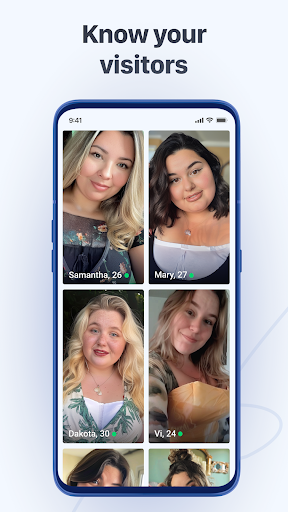
- Build comprehensive personal profiles including photos and detailed descriptions.
- Quickly browse potential matches using a familiar and intuitive swiping interface.
- Engage in private conversations with matches to foster new relationships.
- Supports forming both romantic partnerships and platonic friendships and social circles.
Pros & Cons
Pros
- Prioritizes serious, long-term relationships over casual interactions.
- Simple and accessible interface suitable for all age groups.
- Facilitates both romantic and platonic connections, fostering a diverse community.
- Focus on local matches simplifies the process of meeting up.
Cons
- Lacks some advanced features found in competing dating applications.
- Success in finding matches may depend heavily on local user activity.
- The user interface design might feel less modern compared to other apps.
- Potential for in-app purchases or ads, common in free dating apps.
How to Use Dating and Chat - SweetMeet
- Install the Dating and Chat - SweetMeet app from the Google Play Store.
- Create your user profile, adding photos and relevant personal details.
- Set your preferences for location, age range, and relationship type.
- Swipe through potential matches shown in your designated area.
- Chat with users once a mutual match has been successfully made.
- Arrange to meet in person once you feel comfortable and have established a connection.
Frequently Asked Questions
Is SweetMeet free to use?
Does SweetMeet require an account?
Can I use SweetMeet offline?
How does SweetMeet ensure user safety?
Are there alternatives to SweetMeet?
Similar to This App


Hot Apps