
PlutoTV: Live TV & Free Movies





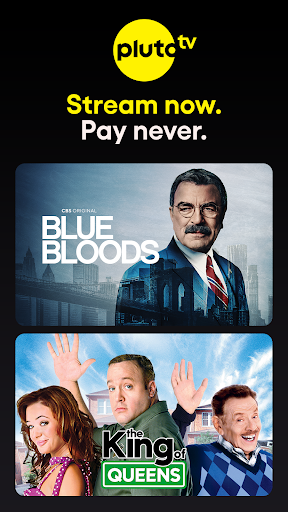


Overview
For users seeking a no-cost entry into the world of streaming entertainment, PlutoTV offers a compelling alternative to subscription-based services. This Android application blends the familiar experience of traditional live television with an expansive library of on-demand movies and shows, all accessible without a monthly fee. It caters to a broad audience, from those looking for background noise to dedicated film buffs and families seeking kid-friendly programming. Our review will explore how this ad-supported platform manages to deliver hundreds of channels and thousands of titles, examining its core features, highlighting its strengths, and acknowledging its limitations. We'll also provide practical advice on getting started and address common user questions to help you decide if it's the right fit for your viewing habits.
Key Features
- Access hundreds of live channels covering news, sports, and niche interests 24/7.
- Explore a vast on-demand library featuring thousands of movies and TV show episodes.
- Create personalized channel lists and easily save favorite programs for quick access.
- Activate a dedicated Kids Mode for a curated selection of family-friendly entertainment.
- Enjoy seamless streaming across various devices, including Android, iOS, and smart TVs.
Pros & Cons
Pros
- Completely free to use, eliminating any subscription costs.
- Extensive range of live and on-demand content caters to diverse tastes.
- User interface is intuitive, mimicking a traditional television guide.
- Content library is regularly updated with fresh titles and channels.
Cons
- Frequent commercial breaks can disrupt the viewing experience significantly.
- Lacks many recent blockbuster films or premium television series.
- Streaming quality may fluctuate based on internet connection speed.
- The average user rating suggests some users encounter issues.
How to Use PlutoTV: Live TV & Free Movies
- Download the Pluto TV application from the Google Play Store onto your Android device.
- Open the app to immediately begin browsing the available live channels and on-demand content.
- Navigate through the live TV guide by swiping or tapping, similar to a cable TV interface.
- Explore the 'On Demand' section to find movies and TV shows categorized by genre.
- Select any channel or title to start watching your chosen program instantly.
- Utilize the search function to find specific movies, shows, or channels you wish to view.
Frequently Asked Questions
Is Pluto TV completely free to use?
Do I need to create an account to watch content?
Can I watch Pluto TV content offline?
What kind of content is available on Pluto TV?
Are there many ads on Pluto TV?
Similar to This App


Hot Apps