
BandLab – Music Making Studio




Overview
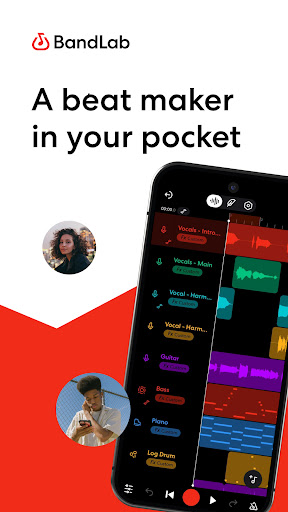
Creating music on the go has become increasingly accessible, and for many aspiring artists and seasoned producers, a powerful mobile digital audio workstation is essential. BandLab – Music Making Studio emerges as a comprehensive solution, transforming your Android device into a portable recording studio. This app caters to a broad audience, from hobbyists experimenting with beats to professional musicians collaborating on complex tracks. It promises to simplify the often-intricate process of music creation, mixing, and sharing, all from the palm of your hand. Our review will delve into its key features, highlight its advantages and disadvantages, guide you through its basic usage, and answer common questions to help you decide if this is the right tool for your musical journey.
Key Features
- Multitrack recording capabilities for layering vocals, instruments, and beats efficiently.
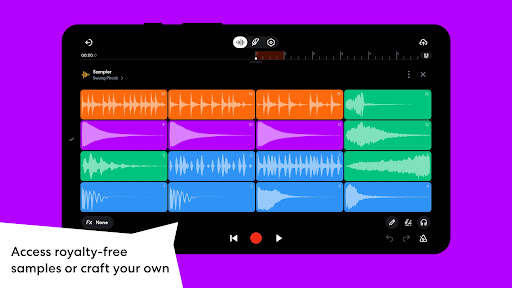
- Access to a diverse library of built-in virtual instruments, including synths and drums.
- Real-time collaboration features allowing multiple users to work on projects together.
- AI-powered tools, such as voice changers and auto-mixing, to enhance your tracks.
- Automatic cloud storage ensures all your projects are secure and accessible cross-device.
- An extensive sound and effects library for creative exploration and sound design.
- Seamless cross-platform integration for consistent workflow between mobile and desktop.
Pros & Cons
Pros
- Completely free access to a robust set of core music production tools.
- Intuitive interface simplifies complex audio tasks, suitable for all skill levels.
- Robust cloud storage and cross-platform access ensures project continuity.
- Facilitates real-time collaboration with musicians worldwide, fostering creativity.
- Offers a vast collection of sounds, loops, and digital instruments for diverse genres.
Cons
- Premium features and advanced sound packs are locked behind a paid subscription.
- Reliance on internet connectivity significantly limits its functionality for offline work.
- Older mobile devices may experience performance slowdowns or occasional glitches.
- Achieving professional-grade mixing and mastering results still requires significant user skill.
How to Use BandLab – Music Making Studio
- Install the BandLab app from the Google Play Store on your Android device.
- Open the application and sign up for a new account or log in if you are an existing user.
- Start a new project by tapping the '+' icon and selecting your desired track type, such as instrument, voice, or drum machine.
- Record your audio, add virtual instruments, or import loops and samples to build the foundation of your song.
- Mix your tracks using the built-in effects, volume controls, and automation to achieve your desired sound.
- Collaborate with others by inviting friends to your project for real-time co-creation.
- Save your work, which automatically syncs to the cloud, and share your finished track with the BandLab community or other platforms.
Frequently Asked Questions
Is BandLab truly free to use?
Can I collaborate with other musicians using this app?
Does BandLab work offline?
What kind of instruments are available in the app?
Is this app suitable for beginners or only experienced producers?
Can I transfer my projects between different devices?
Similar to This App


Hot Apps