
Sweet Selfie Beauty Camera




Overview
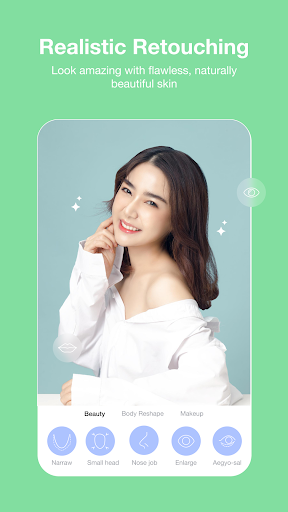
For those who frequently share images online, a good photo editor is essential. Many seek tools that can quickly enhance their appearance without requiring extensive professional skills. Sweet Selfie Beauty Camera, developed by Thekla Neala, aims to provide exactly that experience for Android users. With its focus on beauty enhancements and creative overlays, this app positions itself as an all-in-one solution for capturing and refining stunning selfies and other pictures. It promises a user-friendly interface combined with advanced features like real-time filters, HD retouching, and unique background customization options. This review will delve into how effectively the app delivers on these promises, examining its core functionalities, overall user experience, and potential drawbacks, helping you decide if it’s the right tool for your digital photo needs.
Key Features
- Apply real-time beauty filters to instantly smooth skin and enhance facial features.
- Utilize one-tap HD retouching for a natural, refined appearance in photos.
- Brighten and enlarge eyes while effectively reducing the appearance of dark circles.
- Whiten teeth for a dazzling smile, effectively highlighting your natural beauty.
- Customize photo backgrounds with unique shapes like teardrops or corrugated designs.
- Access comprehensive editing tools to adjust brightness, contrast, and saturation levels.
- Add fun augmented reality stickers and various face effects to make pictures stand out.
Pros & Cons
Pros
- Intuitive interface makes photo editing accessible for all skill levels.
- Offers a wide array of tools for comprehensive photo enhancement.
- Real-time filters provide immediate beauty adjustments without extra steps.
- Specific tools for eye and teeth enhancement address common appearance concerns.
Cons
- Some advanced features are locked behind in-app purchases, incurring additional costs.
- Over-reliance on filters can result in an unnatural or overly processed look.
- The app may contain advertisements, typical for many free-to-download photo editors.
- Heavy emphasis on 'beauty' features might inadvertently promote unrealistic appearance standards.
How to Use Sweet Selfie Beauty Camera
- Install the Sweet Selfie Beauty Camera app from the Google Play Store on your Android device.
- Grant necessary permissions for camera and storage access when prompted upon first launch.
- Open the app and either take a new photo using the integrated camera or select an existing image from your gallery.
- Explore the various beauty filters and apply one in real-time or to your chosen photo to see instant effects.
- Tap on specific editing tools like "Retouch," "Eye," or "Teeth" to make precise adjustments to your features.
- Experiment with creative options such as background changers, AR stickers, or other artistic effects to personalize your image.
- Save your enhanced photo to your device's gallery or share it directly to your preferred social media platforms.
Frequently Asked Questions
Is Sweet Selfie Beauty Camera free to use?
Does this app require an account to function?
Can I edit photos from my gallery, or only take new selfies?
What kind of privacy implications should I consider?
Are there alternatives if this app isn't a good fit?
Similar to This App


Hot Apps