
Threads




Overview
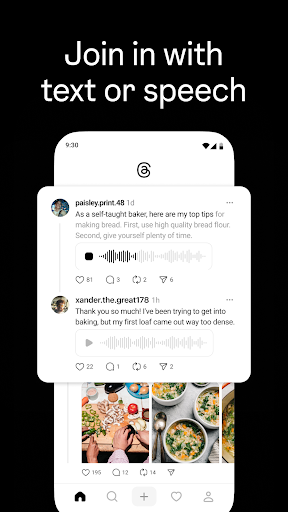
A new platform for connecting and sharing thoughts has emerged from a familiar social media giant. Threads, developed by Meta and an extension of the Instagram ecosystem, positions itself as a space primarily for text-based conversations. Unlike its visually-driven sibling, this app prioritizes written content, encouraging users to engage in real-time discussions through short posts. It aims to foster a dynamic environment where communities can form around shared interests, moving beyond the visual focus of many contemporary social platforms. This review will explore how its deep integration with Instagram simplifies user onboarding, examine its core features, and consider its strengths and weaknesses in a crowded social media landscape. We’ll also cover practical steps for getting started and address common questions potential users might have about its functionality and overall purpose.
Key Features
- Direct integration with existing Instagram accounts for seamless setup.
- Share concise text-based updates with a 500-character limit.
- Engage with content through likes, comments, and direct replies.
- Discover new accounts and communities via personalized recommendations.
- Create and customize a personal profile to reflect your interests.
- Participate in real-time conversations within a dedicated feed.
Pros & Cons
Pros
- Smooth onboarding process through Instagram account linking.
- Focus on text encourages thoughtful, concise discussions.
- Simple, clean interface makes for easy navigation.
- Good for discovering and participating in niche interest communities.
Cons
- Faces stiff competition from established text-based social apps.
- The 500-character limit can feel restrictive for some users.
- User base heavily reliant on existing Instagram accounts.
- Potential for algorithm-driven content that may not always align with user interests.
How to Use Threads
- Download the Threads app from the Google Play Store.
- Open the app and choose to log in using your existing Instagram account.
- Customize your profile by importing details from Instagram or adding new information.
- Explore your feed to see posts from accounts you follow or recommended content.
- Create a new post by tapping the compose icon, typing your message (up to 500 characters), and sharing it.
- Interact with posts by liking, replying, or resharing them to your own feed.


