
Microsoft Family Safety
Overview
Balancing children's digital engagement with real-world activities is a common challenge for many parents today. Finding a tool that offers comprehensive control without feeling overly restrictive can be difficult. This is where Microsoft Family Safety aims to step in, providing a suite of features designed to help families establish healthy digital habits. The application allows guardians to manage screen time across various devices, filter inappropriate content, and gain insight into online activities. This review will explore its key functionalities, ease of use, and potential drawbacks, helping you decide if it's the right solution for fostering a safer online environment for your loved ones. We'll examine how it handles everything from daily app limits to location tracking, and consider its cross-platform capabilities.
Key Features
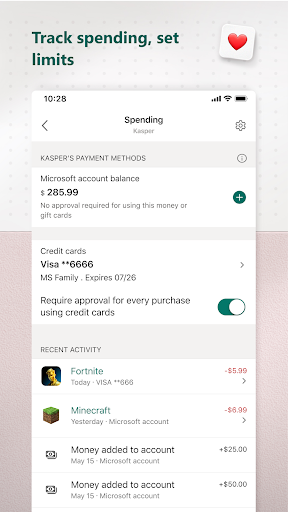
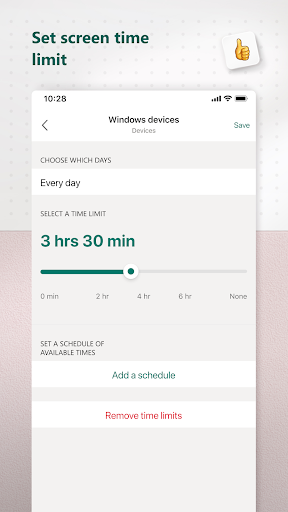
- Set daily time limits for apps, games, and devices to promote balanced usage.
- Block access to inappropriate websites and applications for age-appropriate content.
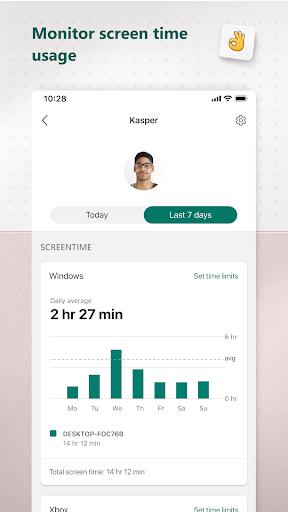
- Receive weekly summaries of children's online activities, including app usage and search trends.
- Enable real-time location sharing to locate family members for peace of mind.
- Monitor driving habits like speed and phone usage to encourage safer teen driving.
- Comprehensive cross-device support for Android, Windows PCs, and Xbox consoles.
Pros & Cons
Pros
- Extensive cross-device compatibility for consistent monitoring across platforms.
- Intuitive interface makes it straightforward for parents to configure settings.
- Includes a unique driving safety feature for monitoring teen drivers.
- Promotes healthy digital habits through customizable limits and content filters.
Cons
- Some advanced features require an active Microsoft 365 subscription.
- Location tracking and activity reports may raise privacy concerns for older children.
- Functionality can be limited on non-Microsoft platforms like iOS for certain features.
- An average rating of 3.9 suggests some users encounter issues or limitations.
How to Use Microsoft Family Safety
- Download and install the Microsoft Family Safety app from the Google Play Store.
- Sign in using your Microsoft account credentials or create a new account if you don't have one.
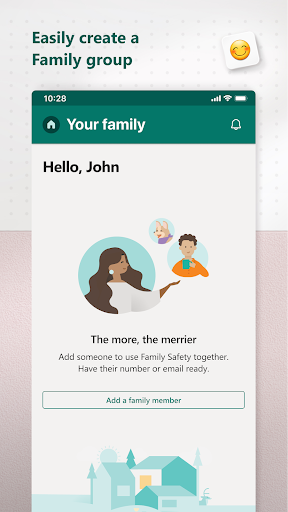
- Create your family group by inviting other family members via email or phone number.
- Accept invitations from family members and ensure they install the app on their devices.
- Configure screen time limits, content filters, or app restrictions for each child from your dashboard.
- Review activity reports regularly to stay informed about your children's digital habits.
- Activate location sharing for family members who consent, if you wish to track their whereabouts.
Frequently Asked Questions
Is a Microsoft 365 subscription required to use this app?
What types of devices can be monitored with Family Safety?
Does the app offer real-time location tracking for family members?
Can parents see what websites their children visit?
Are there any privacy implications for children using this app?
Similar to This App


Hot Apps