
APPatient
Overview
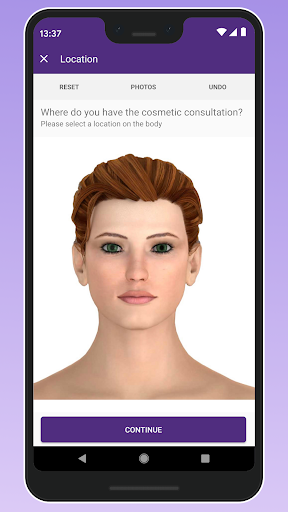
Managing personal healthcare records and appointments can often feel like a complicated maze, involving phone calls, paper forms, and disparate systems. Many patients seek a more integrated approach to interact with their medical providers. APPatient, developed by ModMed, aims to simplify this experience by offering a centralized mobile portal. This application is designed specifically for individuals whose healthcare providers utilize the ModMed ecosystem, allowing them to handle various aspects of their medical care from a smartphone. Our review will explore its key features, highlight its practical benefits, discuss potential drawbacks, and provide a step-by-step guide on how to get started, helping you decide if it’s the right tool for streamlining your health management.
Key Features
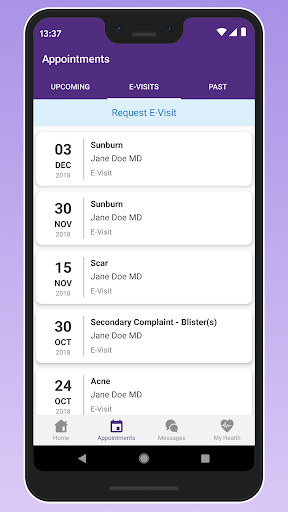
- Schedule, modify, or cancel upcoming appointments with ease.
- Access detailed summaries of your past medical visits and progress.
- Communicate directly with your healthcare provider via secure messaging.
- Submit necessary digital forms online, reducing paperwork.
- View lab results and other important medical documents in one place.
- Track and monitor your vital statistics to keep providers updated.
- Manage medications and request prescription refills effortlessly.
Pros & Cons
Pros
- User-friendly interface streamlines complex healthcare management tasks.
- Secure communication channels ensure patient privacy and data protection.
- Remote appointment scheduling and medication refills enhance convenience.
- Centralized digital document storage minimizes physical paperwork clutter.
Cons
- Initial setup process can be somewhat complex, requiring detailed personal information.
- Some users have reported occasional syncing issues with healthcare provider systems.
- Functionality is limited to patients whose providers use the ModMed platform.
- As with many apps of this type, consistent use may impact device battery life.
How to Use APPatient
- Download the APPatient application from the Google Play Store onto your Android device.
- Open the app and either create a new patient account or log in using existing credentials.
- Link your specific healthcare provider by following the in-app instructions, which may involve a practice code.
- Explore the main dashboard to view upcoming appointments or recent notifications.
- Navigate to the secure messaging section to send a message to your provider's office.
- Access your medical records, including visit summaries and lab results, from the relevant sections.
- Manage your prescriptions by reviewing current medications and requesting refills as needed.


