
CrimeRadar: Dispatch Alerts




Overview
Staying informed about local public safety is a growing concern for many, whether at home or while traveling. For those seeking immediate awareness of their surroundings, CrimeRadar: Dispatch Alerts aims to be a comprehensive tool. This application provides real-time notifications on crime and public safety incidents, leveraging mapping technology to offer a clear overview of activity in specific areas. It's designed to empower users with information, helping them make more informed decisions about their personal safety and the safety of their loved ones. The app aggregates data from various sources, presenting it in an accessible format. In this review, we'll explore its core features, examine its reported benefits and drawbacks, and guide you through its initial setup and usage to help you decide if it fits your safety needs.
Key Features
- Receive instant notifications about local crimes, emergencies, and police activity.
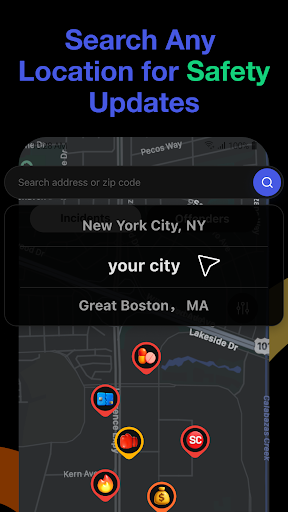
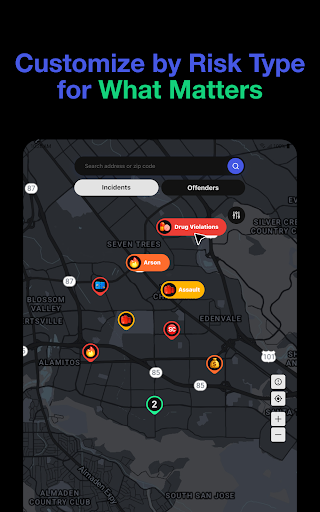
- Explore an intuitive map interface displaying crime hotspots and incident details.
- Tailor location settings to monitor specific neighborhoods or cities of interest.
- Access comprehensive information on reported events, including type, time, and location.
- Benefit from a sleek, user-friendly interface designed for quick information retrieval.
- Aggregates public safety data using advanced mapping technologies for accuracy.
Pros & Cons
Pros
- Provides timely and accurate updates on local incidents.
- Interactive map offers a clear visual of crime hotspots.
- Highly customizable to focus on specific areas of concern.
- User-friendly interface makes it easy to access information.
Cons
- Users have reported occasional unreliability with notifications.
- Certain advanced features are locked behind a premium subscription.
- Data accuracy relies heavily on external law enforcement sources.
- Constant monitoring of incidents could potentially increase user anxiety.
How to Use CrimeRadar: Dispatch Alerts
- Install the CrimeRadar: Dispatch Alerts app from the Google Play Store on your Android device.
- Grant necessary location permissions to allow the app to identify nearby incidents.
- Set up your primary monitoring locations or specific neighborhoods you wish to track.
- Explore the interactive map to view current crime hotspots and detailed incident reports.
- Customize your notification preferences to receive alerts for specific types of incidents or areas.
- Review detailed information for any reported event by tapping on its icon on the map.
Frequently Asked Questions
Is CrimeRadar: Dispatch Alerts a free application?
How does the app ensure data accuracy?
Can I use CrimeRadar to monitor locations other than my current one?
Does the app work if my device is offline?
What kind of incidents does the app report?
Similar to This App


Hot Apps