



Overview
Looking for a creative spark or a way to organize your ideas? This popular visual discovery app, Pinterest, offers a unique digital canvas for collecting and sharing inspiration across a multitude of interests. Whether you're planning a home renovation, gathering recipes for a dinner party, curating fashion trends, or mapping out your next travel adventure, this platform serves as a virtual pinboard for all your aspirations. With over a billion downloads and a solid 4.36-star rating, it's clear many users find immense value in its offerings. Our review will explore how this app functions as a hub for visual content, highlighting its key features, outlining its advantages and disadvantages, and providing a step-by-step guide to get you started on your creative journey. We’ll also answer common questions to help you decide if it’s the right tool for your needs.
Key Features
- Discover a vast collection of inspiring images and videos across diverse categories.
- Organize favorite visual content onto custom-themed digital pinboards for easy access.
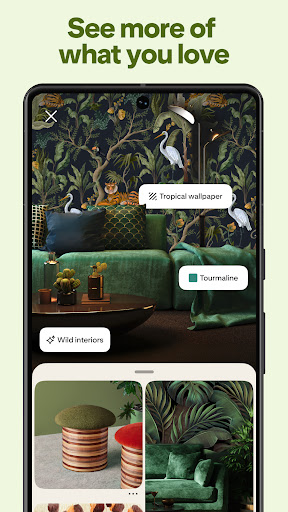
- Utilize keyword search or the Lens feature to find specific ideas or visually similar items.
- Shop directly from pins, linking to retailers for a seamless product discovery experience.
- Collaborate with others by sharing boards to plan events, projects, or shared interests.
- Receive personalized content recommendations based on your engagement and interests.
Pros & Cons
Pros
- Extensive library of inspiring and diverse visual content.
- Intuitive interface makes saving and organizing ideas straightforward.
- Powerful search tools, including visual search, enhance discovery.
- Seamless integration with e-commerce for direct shopping.
- Useful for collaborative planning with friends or colleagues.
Cons
- Some users report issues with content copyright claims.
- The sheer volume of available content can feel overwhelming.
- Functionality is significantly limited without an internet connection.
- Can lead to endless scrolling, potentially consuming a lot of time.
- Occasional irrelevant or repetitive recommendations in the feed.
How to Use Pinterest
- Install the app from the Google Play Store on your Android device.
- Sign up for a new account using your email, Google, or Facebook credentials.
- Explore your personalized feed by scrolling through recommended images and videos.
- Tap on any interesting "Pin" to view more details or related content.
- Save Pins to custom boards by tapping the "Save" button and creating a new board.
- Search for specific ideas using the search bar or the Pinterest Lens camera feature.
- Share your boards with friends or family for collaborative planning.
Frequently Asked Questions
Is Pinterest free to use?
Do I need an account to browse content?
Can I use Pinterest offline?
How does Pinterest protect my privacy?
Are there many ads on Pinterest?
Can I upload my own images to Pinterest?
Similar to This App


Hot Apps