
Maps, Navigation & Directions

Overview
Finding your way in unfamiliar territory, especially without a reliable internet connection, can be a major challenge for anyone on the go. Whether you're exploring remote landscapes, traveling internationally, or simply dealing with spotty cell service on your daily commute, a robust offline navigation tool is invaluable. This is where Maps, Navigation & Directions by Universal Nav aims to fill a crucial gap. The app promises comprehensive turn-by-turn guidance and detailed maps that work entirely without an internet connection, catering to adventurers, frequent travelers, and daily commuters alike. Our review will examine its core functionalities, assess its claimed advantages and potential drawbacks, and provide a practical guide on how to get started with its features. We'll help you decide if this free navigation solution is the right fit for your journey.
Key Features
- Download detailed maps for over 200 countries and regions for comprehensive offline use.
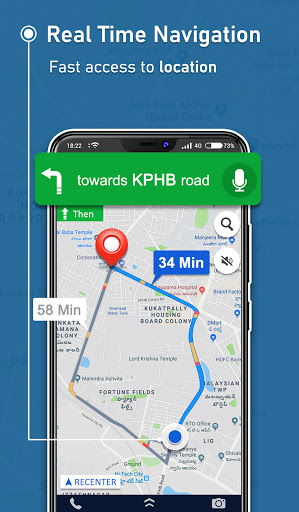
- Receive clear, step-by-step voice-guided instructions for various travel modes, including driving or walking.
- Plan customized routes with multiple stops, optimizing for the fastest or shortest path.
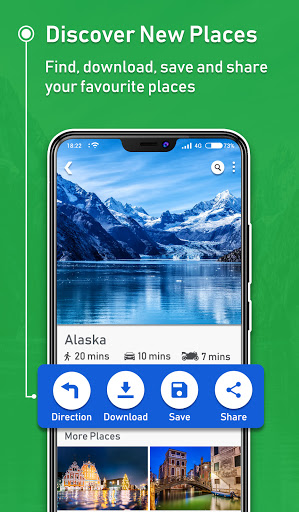
- Locate nearby points of interest such as restaurants, fuel stations, hotels, and other essential services.
- Get alerts for speed limits and potential speed checks along your journey to help you stay informed.
- Switch between 2D, 3D, and satellite map views to suit different navigation preferences.
Pros & Cons
Pros
- Completely free with no hidden charges for core features or map downloads.
- Fully functional offline, ideal for areas without internet access or international travel.
- Maps are regularly updated, helping ensure accuracy and reliability for users.
- Intuitive interface design makes the app easy for most users to pick up and use quickly.
Cons
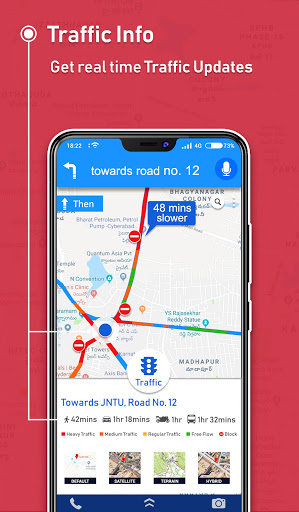
- Offline navigation cannot provide real-time traffic updates, impacting route efficiency.
- Downloading extensive maps, especially for large regions, can consume significant device storage space.
- Voice guidance might occasionally lack precision during complex turns or intersections, requiring visual confirmation.
- The overall user experience may not be as polished or feature-rich as some premium, paid alternatives.
How to Use Maps, Navigation & Directions
- Install the Maps, Navigation & Directions app from the Google Play Store onto your Android device.
- Launch the application and grant any necessary permissions for location access and storage.
- Download the required maps for your desired region or country by navigating to the "Offline Maps" section.
- Plan your route by entering your destination and any intermediate waypoints, then select your preferred travel mode.
- Start navigation and follow the voice-guided instructions and visual cues provided by the app.
- Explore nearby points of interest using the dedicated search function to find services like gas stations or restaurants.
Frequently Asked Questions
Is Maps, Navigation & Directions truly free, or are there hidden costs?
Can I use this app without an internet connection?
Does the app include real-time traffic information?
How much storage space do the offline maps require?
What data source does Maps, Navigation & Directions use for its maps?
Similar to This App


Hot Apps