
CARFAX - New & Used Cars
Overview
Buying a used car can be a minefield of uncertainty, and even new car purchases require careful consideration. Many buyers find themselves overwhelmed by the sheer volume of information, or lack thereof, when trying to ascertain a vehicle's true condition and past. This is where CARFAX - New & Used Cars aims to step in, offering a comprehensive suite of tools designed to bring transparency to the automotive market. Whether you're a first-time buyer or an experienced enthusiast, the app promises to equip you with the crucial data needed to make an informed decision. It provides detailed vehicle history reports, facilitates VIN scanning, and offers robust search functionalities for both new and used listings. This review will explore how the app delivers on these promises, its key features, advantages, drawbacks, and practical steps for getting started.
Key Features
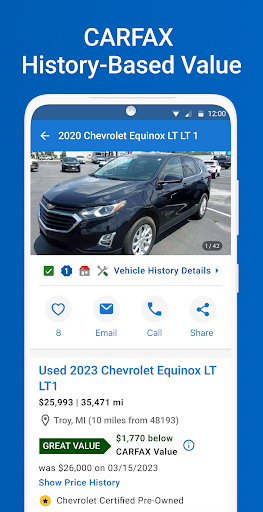
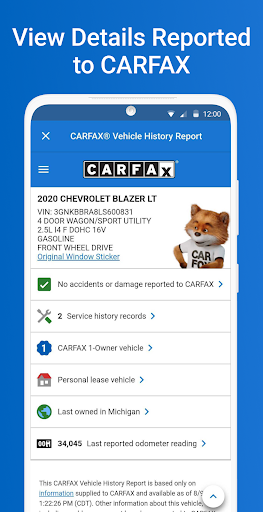
- Access detailed vehicle history reports, including accident records, odometer readings, and service logs.
- Instantly scan Vehicle Identification Numbers (VINs) using your phone's camera to retrieve car history.
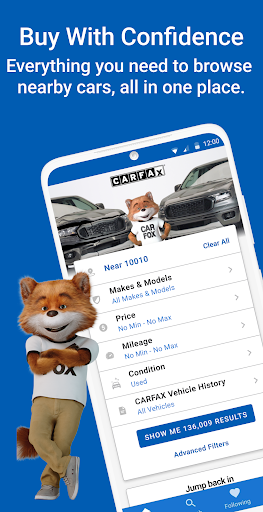
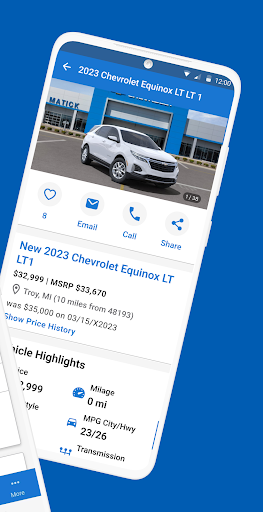
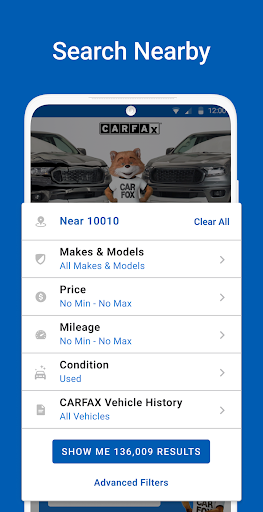
- Browse a wide selection of new and used car listings with various filtering options.
- Set up custom search filters for price, mileage, location, and vehicle condition to find ideal cars.
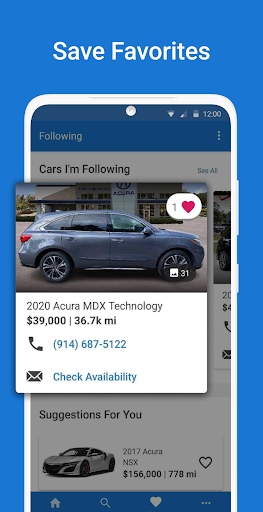
- Get real-time notifications and price alerts for vehicles matching your specific saved search criteria.
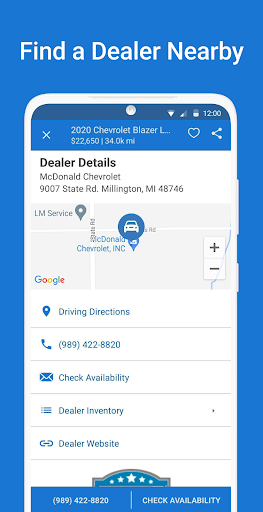
- Locate reputable dealerships in your area that offer cars with clean and verified CARFAX histories.
Pros & Cons
Pros
- Provides extensive vehicle history data, significantly reducing the risk of purchasing a problematic car.
- Offers a highly intuitive and user-friendly interface, making navigation and information retrieval simple.
- The VIN scanning feature allows for quick, on-the-spot access to a vehicle's background.
- Real-time updates and customizable alerts ensure users stay informed about new listings and price changes.
Cons
- Access to full, detailed CARFAX reports often requires a separate purchase or subscription.
- The database may not contain complete history records for all vehicles, especially older or imported models.
- Some users might find the free version's features too restrictive for serious car shopping.
- Constant notifications from price alerts and new listings could become overwhelming for some users.
How to Use CARFAX - New & Used Cars
- Install the CARFAX - New & Used Cars app from the Google Play Store on your device.
- Open the app and grant any necessary permissions, such as camera access for VIN scanning.
- Search for vehicles by entering make, model, location, or by scanning a VIN on a car you're interested in.
- Review detailed vehicle history reports, including accident data, service records, and odometer readings.
- Save your preferred search criteria to receive real-time alerts for new listings or price drops.
- Contact dealerships directly from the app or use the dealer locator to find reputable sellers nearby.
Frequently Asked Questions
Is the CARFAX app free to use?
Does the app work for all types of vehicles?
Can I use the app to sell my car?
Do I need an account to use the app?
How accurate are the vehicle history reports?
Similar to This App


Hot Apps