
YouTube


Overview
For anyone seeking a seemingly endless supply of video content, from educational tutorials to live music performances, this platform has become a digital cornerstone. It offers a unique blend of entertainment, information, and community interaction, catering to billions of users worldwide. Whether you're looking to unwind with viral clips, learn a new skill, or follow your favorite creators, the official YouTube application provides direct access to its vast ecosystem. This review will explore its core functionalities, highlight its strengths in content diversity and user engagement, and address some of the common criticisms related to its user experience and content algorithms. With its massive library and constant updates, understanding its features and potential drawbacks is key to making the most of this ubiquitous service. We'll cover everything from personalized recommendations to community tools, helping you decide if it still meets your media consumption needs.
Key Features
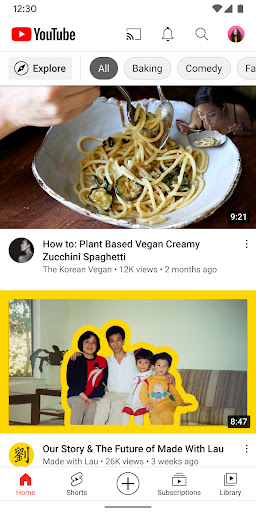
- Personalized home feed suggests videos based on your viewing history and interests.
- Watch and participate in live streams, including real-time chat during broadcasts.
- Download videos for offline playback, a feature available to Premium subscribers.
- Interact with creators and other viewers through comments, polls, and community posts.
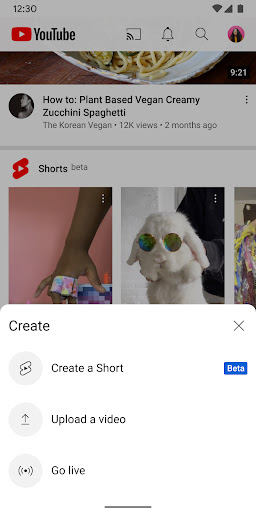
- Upload and edit videos directly from your mobile device using integrated tools.
Pros & Cons
Pros
- Access to an enormous library of video content on virtually any subject.
- Generally intuitive interface makes it easy for most users to navigate.
- Seamless integration with related services like Music and Kids.
- Provides significant monetization avenues for content creators.
Cons
- Frequent advertisements interrupt viewing for non-Premium users.
- Recommendation algorithm can sometimes suggest repetitive or irrelevant content.
- Autoplay features may encourage excessive screen time and passive consumption.
- The 3.9 average rating indicates a notable segment of user dissatisfaction.
How to Use YouTube
- Install the application from the Google Play Store onto your device.
- Open the app and optionally sign in with your Google account to personalize your experience.
- Browse the Home tab for personalized recommendations or use the search bar to find specific content.
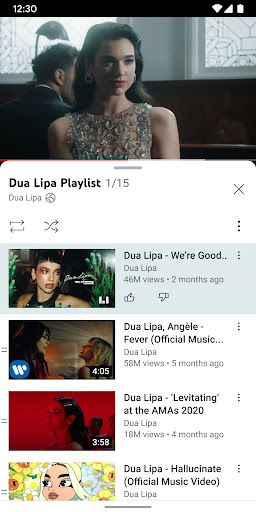
- Tap on any video thumbnail to begin playback.
- Engage with the content by liking, disliking, or leaving comments below the video player.
- Subscribe to channels you enjoy to receive updates on new uploads.
Frequently Asked Questions
Is a Google account required to use the app?
Can I watch videos offline?
Are there advertisements in the app?
What benefits does YouTube Premium offer?
How does the app address content safety, especially for younger viewers?
Similar to This App


Hot Apps