
American Airlines




Overview
Managing air travel can often be a complex and stressful endeavor, filled with numerous details to track and potential last-minute changes. For those who frequently fly with a specific carrier, having a dedicated digital assistant can significantly streamline the entire journey. The American Airlines app aims to be this comprehensive companion, offering a suite of tools designed to simplify everything from initial booking to baggage claim. This review will examine its core functionalities, user experience, and overall effectiveness, helping you determine if it truly lives up to its promise of making your travels smoother. We'll look at how well it integrates essential services like mobile boarding passes and real-time updates, alongside its benefits for AAdvantage members, to provide a clear picture of its value for passengers.
Key Features
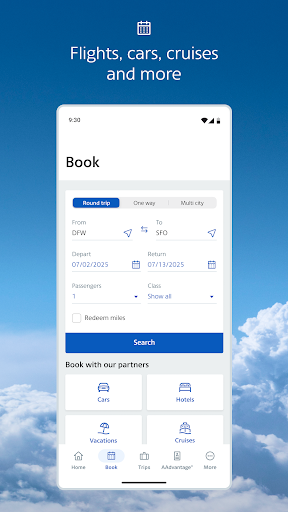
- Search, book, and manage flights, including seat selection and upgrades.
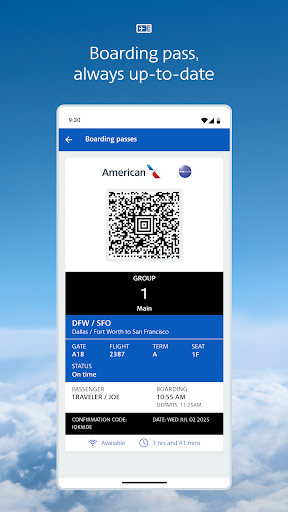
- Generate and use digital boarding passes for quicker airport security checks.
- Receive real-time notifications for flight delays, gate changes, and cancellations.
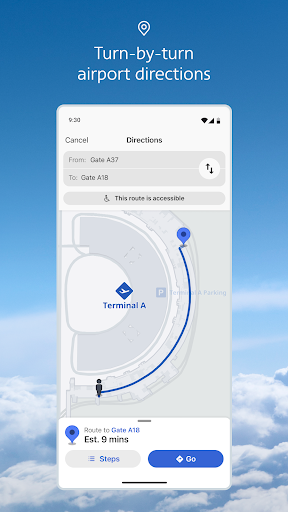
- Access detailed interactive airport maps to navigate terminals and amenities.
- Track AAdvantage loyalty points, redeem miles, and manage member benefits.
Pros & Cons
Pros
- Centralized management for all aspects of a flight journey.
- Intuitive interface makes navigating features straightforward.
- Timely notifications keep travelers informed about itinerary changes.
- Seamless integration with the AAdvantage loyalty program.
Cons
- Reliance on a stable internet connection for full functionality.
- Users have reported occasional software bugs and performance glitches.
- Potential for notification overload during significant travel disruptions.
- Limited utility for those not flying with American Airlines.
How to Use American Airlines
- Install the American Airlines app from the Google Play Store on your device.
- Open the app and either log in with your AAdvantage credentials or create a new account.
- Link an existing reservation by entering your confirmation code and last name into the designated field.
- Access your upcoming flights from the home screen to view details, make changes, or begin the check-in process.
- Generate your mobile boarding pass directly within the app for quick access at security checkpoints and boarding gates.
Frequently Asked Questions
Is the American Airlines app free to download and use?
Can I use the app if I don't have an AAdvantage account?
Does the app work offline?
How secure is my personal and payment information within the app?
What should I do if I experience a bug or technical issue with the app?
Similar to This App


Hot Apps