
Booking.com: Hotels & Travel
Category
Travel & Local
Downloads
500M+
Developer
Booking.com Hotels & Vacation Rentals
Available on
Android, iOS
OS




Overview
Planning a trip often involves juggling multiple websites and services to secure accommodation. This widely used application aims to simplify that process by bringing a vast selection of lodging options directly to your mobile device. With millions of listings ranging from luxury hotels to quaint vacation rentals, it positions itself as a comprehensive tool for travelers worldwide. Our review will examine its core functionalities, user experience, and overall utility, helping you decide if Booking.com: Hotels & Travel truly lives up to its promise of being an ultimate travel companion. We'll cover everything from booking flexibility to customer support, providing an honest assessment for your next adventure.
Key Features
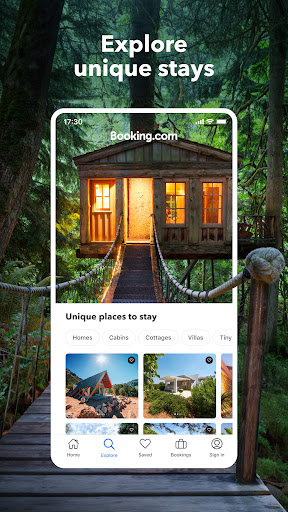
- Access over 28 million accommodation listings globally, including hotels and unique stays.
- Benefit from real-time availability checks and instant booking confirmations.
- Choose flexible payment options, including paying online or directly at the property.
- Utilize filters to personalize search results by price, amenities, and guest ratings.
- Receive 24/7 customer support in multiple languages for travel assistance.
- Explore a wide range of stay types across 228+ countries and regions.
Pros & Cons
Pros
- Extensive global inventory provides abundant choices for various budgets and preferences.
- User-friendly interface makes searching and booking straightforward on mobile devices.
- Offers flexible cancellation policies on many bookings, enhancing peace of mind.
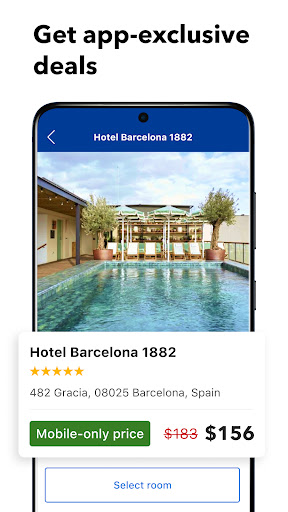
- The Genius loyalty program provides exclusive discounts for frequent users.
- Transparent pricing model with a commitment to no hidden fees.
Cons
- Some users report difficulties and delays when processing cancellations and refunds.
- The sheer volume of accommodation options can be overwhelming for new users.
- Limited integration with other travel services like flight bookings within the app.
- Occasional ads for other services can disrupt the user experience.
- Reliance on internet connectivity for most features, limiting offline utility.
How to Use Booking.com: Hotels & Travel
- Download and install the Booking.com: Hotels & Travel app from the Google Play Store onto your Android device.
- Open the app and either sign in with an existing account or create a new one to access personalized features.
- Enter your desired destination, travel dates, and number of guests into the search bar.
- Browse the extensive list of available accommodations, using filters to refine results by price, property type, or amenities.
- Select a listing to view detailed information, photos, guest reviews, and specific booking conditions.
- Proceed to book your chosen accommodation, confirming payment details and any cancellation policies.
- Receive instant confirmation of your reservation via email and within the app.
Frequently Asked Questions
Is Booking.com a free app to download and use?
Yes, the Booking.com app is free to download and install on your Android device. While browsing and searching are free, you will pay for any accommodations you book through the platform.
Do I need an account to use the app?
You can browse accommodations without an account, but you will need to create one to make bookings. An account also allows you to manage reservations and access loyalty program benefits.
Can I cancel or modify my bookings through the app?
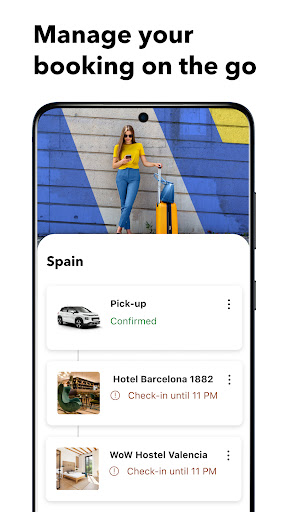
Yes, many bookings offer free cancellation or modification options, which can be managed directly within the app. Always check the specific cancellation policy before confirming your reservation, as terms vary by property and rate.
Does the app support offline use?
While you need an internet connection to search for and book accommodations, the app may store some booking details for offline viewing. However, real-time updates or new searches require connectivity.
What payment methods are accepted?
The app typically accepts major credit and debit cards for online payments. Some properties also offer the option to pay directly at the accommodation upon arrival, depending on their policies.
Similar to This App

Expedia: Hotels, Flights, Cars
Travel & Local

Fly Delta
Travel & Local

United Airlines
Travel & Local

American Airlines
Travel & Local

Upside: Gas & Food Cash Back
Travel & Local

Airbnb
Travel & Local

Instabridge: WiFi Hotspot Map
Travel & Local

Google Earth
Travel & Local

U-Haul
Travel & Local

Duolingo: Language Lessons
Education
Hot Apps
Expedia: Hotels, Flights, Cars
Travel & Local
Fly Delta
Travel & Local
United Airlines
Travel & Local
American Airlines
Travel & Local
Upside: Gas & Food Cash Back
Travel & Local
Airbnb
Travel & Local
Instabridge: WiFi Hotspot Map
Travel & Local
Google Earth
Travel & Local
U-Haul
Travel & Local
Duolingo: Language Lessons
Education