
Big Keyboard: Easy Homescreen



Overview
Navigating a modern smartphone can be a challenge for many, especially as screens shrink relative to finger size or for users with visual impairments. An application designed to address this common frustration is Big Keyboard: Easy Homescreen, developed by SwipeTap Apps. This personalization tool aims to transform the standard Android interface into a more accessible and user-friendly experience. It replaces the default launcher with one featuring oversized buttons and a simplified layout, making essential functions like calling and messaging easier to access. This review will explore how the app delivers on its promise of simplicity, its core features, and whether it successfully caters to those seeking a less cluttered and more intuitive mobile environment. We'll also consider its limitations for users who might expect advanced customization.
Key Features
- Provides an easy-to-read home screen with significantly enlarged buttons.
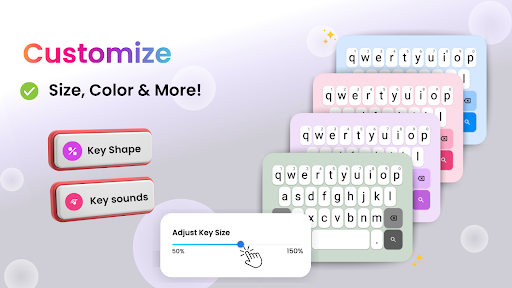
- Customizable layout allows users to arrange frequently used apps conveniently.
- Offers one-tap access to core phone functions like calls and messages.
- Features a clean, minimalist design that reduces visual clutter.
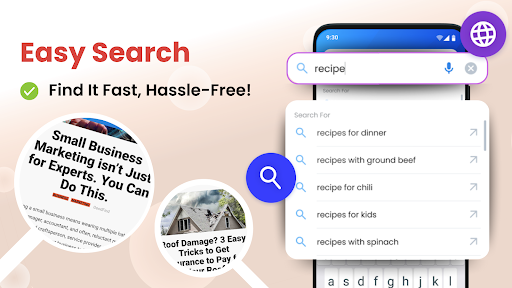
- Includes a smart search function for quickly finding apps and contacts.
- Transforms the standard Android interface into an accessible launcher.
Pros & Cons
Pros
- Significantly improves accessibility for users with visual or motor skill challenges.
- Provides a genuinely simplified and intuitive phone experience.
- Setup is straightforward, requiring no advanced technical expertise.
- Reduces accidental touches with its large, clearly defined buttons.
- High user ratings indicate overall satisfaction with its core function.
Cons
- Offers limited advanced customization compared to other launchers.
- The minimalistic design may not appeal to users seeking feature-rich interfaces.
- Requires Android 12 or newer, restricting compatibility for some devices.
- Replacing the entire home screen might be a drastic change for some users.
How to Use Big Keyboard: Easy Homescreen
- Install Big Keyboard: Easy Homescreen from the Google Play Store on your Android device.
- Open the app after installation and follow the initial prompts to grant necessary permissions.
- Set Big Keyboard as your default launcher when prompted to replace your existing home screen.
- Customize your new home screen by adding frequently used apps and contacts to the oversized buttons.
- Utilize the large keyboard for easier typing and the smart search for quick navigation.
Frequently Asked Questions
Is Big Keyboard: Easy Homescreen a free application?
Will this app replace my phone's current home screen?
Is this app designed specifically for seniors or users with visual impairments?
Can I customize the layout of the home screen?
What are the minimum Android requirements for this app?
Similar to This App


Hot Apps