
Themepack - App Icons, Widgets




Overview
Transforming your phone's aesthetic from mundane to magnificent doesn't require rooting or complex technical skills. Themepack - App Icons, Widgets by YoloTech offers a comprehensive suite of tools for Android users seeking to personalize their device's appearance. This app provides a vast array of options to refresh your home screen, from custom app icons and stylish widgets to high-quality wallpapers. With over 50 million downloads and a strong 4.69 rating, it's clear many users appreciate its approach to device customization. Our review will explore its core features, highlight its advantages, point out potential drawbacks, and guide you through its basic usage, ensuring you understand what this popular personalization tool brings to the table.
Key Features
- Personalize app icons with a vast library of trendy alternatives and custom designs.
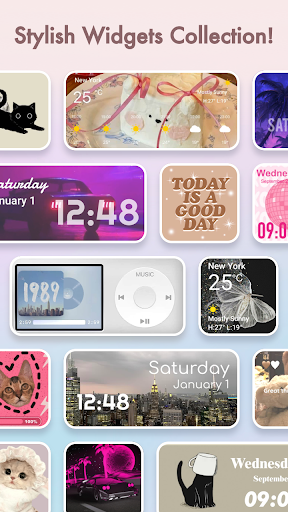
- Select from diverse functional widgets, including time, date, calendar, and photo displays.
- Access a wide array of static and live wallpapers across many popular genres.
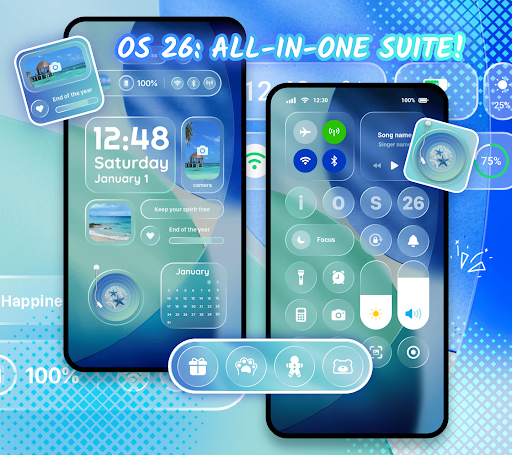
- Enjoy iOS-inspired themes, bringing iPhone-like aesthetics to Android devices.
- Simplify the application process for quick and seamless theme changes.
- Offers a user-friendly interface suitable for both beginners and advanced customizers.
Pros & Cons
Pros
- Extensive library of icons, widgets, and wallpapers to choose from.
- Intuitive design makes customization accessible for all user levels.
- Regular content updates ensure fresh and current personalization options.
- Supports both static and dynamic live wallpapers for varied visual effects.
Cons
- Some advanced features and premium content are locked behind a subscription paywall.
- Certain customizations may not function correctly on all Android devices or versions.
- The sheer volume of choices can initially feel overwhelming for new users.
- Personalization apps, especially with live elements, may increase battery consumption.
How to Use Themepack - App Icons, Widgets
- Download and install Themepack - App Icons, Widgets from the Google Play Store.
- Launch the application and browse through the various theme categories, icons, or widgets.
- Select your desired customization elements, such as a new icon pack or a specific widget.
- Apply the chosen theme or individual elements to your device's home screen.
- Adjust widget sizes and positions as needed to perfectly fit your personalized layout.
Frequently Asked Questions
Is Themepack - App Icons, Widgets free to use?
Does Themepack work on all Android devices?
Do I need an account to use this app?
Does Themepack consume a lot of battery?
Can I revert to my original phone theme easily?
Similar to This App


Hot Apps