
Easy Homescreen




Overview
Simplifying your smartphone's interface can significantly enhance daily usability, especially for those who find modern Android cluttered or overwhelming. Easy Homescreen aims to address this by offering a streamlined launcher experience that prioritizes clarity and accessibility. This application replaces the standard Android home screen with a clean, minimalist layout, designed to reduce visual noise and make navigation straightforward. It caters particularly to users seeking a less distracting environment, or individuals who benefit from larger text and simplified controls, such as seniors or those new to smartphones. Our review will explore its core features, weigh its advantages and disadvantages, and guide you through the initial setup to help determine if this personalization tool is the right fit for your digital lifestyle.
Key Features
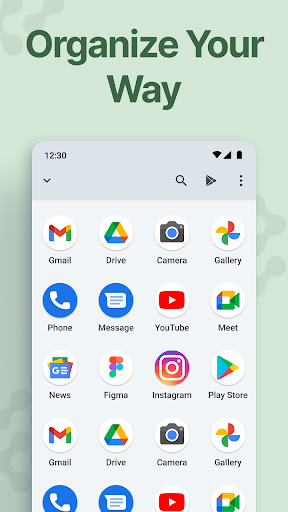
- Replaces standard Android interface with a simplified, organized layout.
- Displays app names and functions using clear text labels instead of icons.
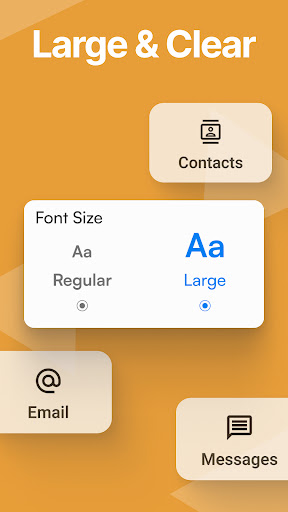
- Offers larger fonts and buttons for enhanced readability and ease of interaction.
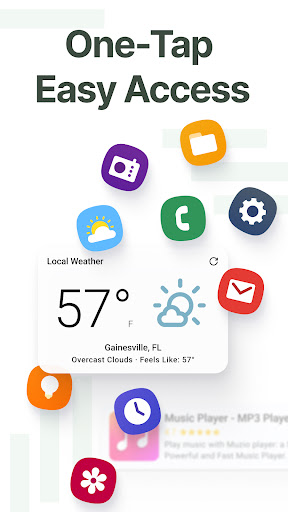
- Allows users to personalize the main screen with chosen apps, shortcuts, and contacts.
- Employs a sleek, minimalist aesthetic to eliminate visual distractions.
- Designed to reduce complexity and improve overall smartphone accessibility.
Pros & Cons
Pros
- Significantly improves accessibility for users with vision impairments.
- Creates a clutter-free and straightforward user experience.
- Reduces cognitive load by simplifying app identification and navigation.
- Clean, modern visual design enhances overall device usability.
Cons
- Lacks advanced customization options sought by tech-savvy users.
- Minimalist design might feel too restrictive for some preferences.
- Requires users to adapt to a new home screen layout and navigation.
- As a third-party launcher, it may consume slightly more battery than the default.
How to Use Easy Homescreen
- Install Easy Homescreen from the Google Play Store on your device.
- Open the application once the installation is complete.
- Set Easy Homescreen as your default launcher when prompted by the system.
- Customize your home screen by adding preferred apps, contacts, or shortcuts.
- Explore the available settings to adjust font sizes or other display preferences.
- Begin using your simplified Android interface for daily tasks.
Frequently Asked Questions
Is Easy Homescreen free to use?
Can I switch back to my original Android launcher?
Is this app suitable for seniors or users with low vision?
Does Easy Homescreen work offline?
Will using a custom launcher like this drain my phone's battery faster?
Similar to This App


Hot Apps