
Weather Now Launcher - Radar


Overview
Staying informed about the weather is a daily necessity for many. Whether planning a commute, an outdoor activity, or simply deciding what to wear, reliable forecasts are crucial. Weather Now Launcher - Radar aims to be a comprehensive solution, providing users with a suite of tools to track current conditions and anticipate future changes. This app combines real-time updates, interactive radar maps, and long-range forecasts, making it a potentially valuable resource for anyone needing detailed weather insights. However, as with any feature-rich application, understanding its capabilities and limitations is key. This review will explore its core functionalities, highlight its strengths, address potential drawbacks, and guide you through its initial setup and use, helping you determine if it’s the right weather companion for your Android device.
Key Features
- Access current weather conditions including temperature, humidity, wind speed, and precipitation in real time.
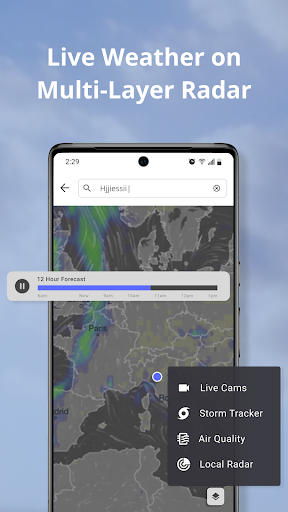
- Explore interactive radar maps displaying rainfall, storm systems, and global wind patterns.
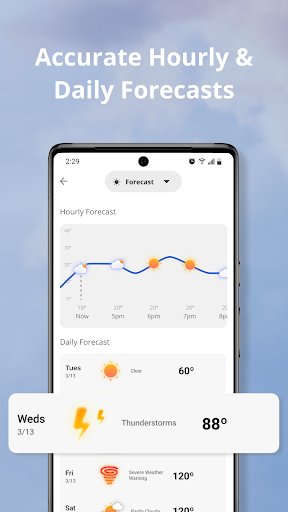
- Plan ahead with a comprehensive 14-day weather outlook, complete with hourly breakdowns.
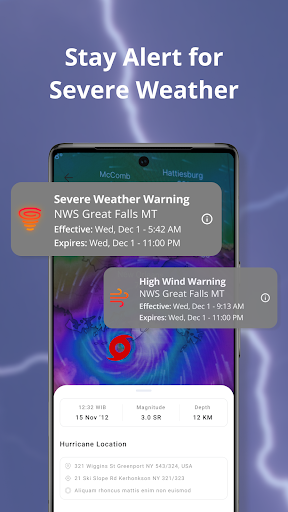
- Receive instant notifications about severe weather events like storms, hurricanes, or heavy rain.
- Personalize your home screen with customizable widgets showing key weather details and forecasts.
- Visualize global weather patterns and systems on an interactive 3D Earth model.
Pros & Cons
Pros
- Provides highly accurate weather data from multiple professional sources.
- Offers comprehensive 14-day forecasts with detailed hourly breakdowns.
- Interactive radar and a 3D globe view enhance visual understanding of weather.
- Customizable widgets allow for quick access to essential weather information.
- Crucial severe weather alerts help users stay prepared for extreme conditions.
Cons
- Full access to all advanced features requires a premium subscription.
- The extensive amount of information might feel overwhelming to some casual users.
- As a launcher, it significantly changes the device's default home screen experience.
- The free version may include advertisements, which can interrupt the user experience.
How to Use Weather Now Launcher - Radar
- Install the Weather Now Launcher - Radar app from the Google Play Store.
- Grant the necessary location permissions when prompted to receive accurate local weather data.
- Explore the main dashboard to view current conditions, temperature, and basic forecasts.
- Tap on the radar icon to access the interactive maps and track precipitation or storms.
- Swipe through the forecast sections to check the 14-day outlook and hourly predictions.
- Customize your home screen by adding a weather widget for quick, at-a-glance updates.
Frequently Asked Questions
Is Weather Now Launcher - Radar free to use?
Does this app require an internet connection?
Can I customize the weather alerts I receive?
What Android version is required to run this app?
Are there alternatives to this weather app?
Similar to This App


Hot Apps