
The Knot Wedding Planner




Overview
Organizing a wedding can often feel like a full-time job, burdened by countless details, deadlines, and decisions. For couples embarking on this significant journey, a digital assistant can be invaluable in maintaining sanity and organization. The Knot Wedding Planner aims to be that comprehensive partner, providing a suite of tools designed to simplify the entire process, from initial inspiration to the final dance. This application promises to keep everything from guest lists and vendor contracts to budget tracking and registry management neatly organized in one accessible place. We'll examine its core features, assess its practical benefits, highlight any potential downsides, and provide a clear guide on how to get started, helping you decide if it's the right fit for your big day.
Key Features
- Personalized countdown to track your wedding day approaching.
- Customizable checklists that adapt to your specific timeline and event needs.
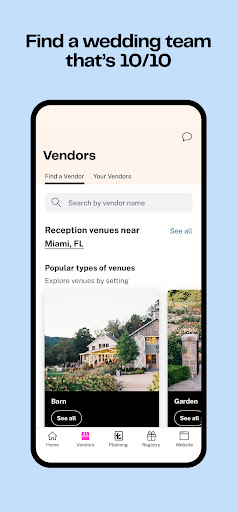
- Extensive marketplace to discover and connect with local wedding vendors.
- Free wedding website builder for sharing details and collecting RSVPs.
- Flexible registry management for gifts, cash funds, and unique experiences.
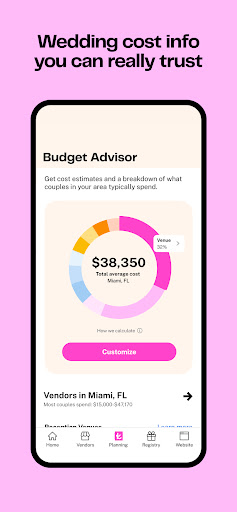
- Budget advisor offering guidance based on real data and regional averages.
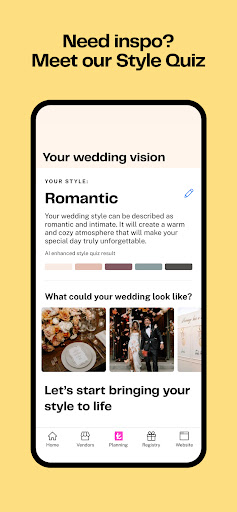
- Style quiz providing personalized design inspiration for your ceremony.
Pros & Cons
Pros
- User-friendly interface simplifies complex wedding planning tasks.
- Comprehensive, all-in-one platform for various planning aspects.
- Access to a wide network of verified local wedding vendors.
- Practical tools like budget calculators and personalized checklists.
- Free to download and use for core planning functionalities.
Cons
- Some advanced vendor listing features may involve additional costs.
- Occasional reports of data syncing glitches across different devices.
- Requires a stable internet connection for full functionality.
- The sheer volume of features might feel overwhelming initially.
- Potential for in-app advertisements or sponsored vendor placements.
How to Use The Knot Wedding Planner
- Download the application from the Google Play Store and install it on your Android device.
- Create a new account or log in with an existing one to personalize your planning experience.
- Enter your wedding date to activate your personalized countdown and initial checklist.
- Explore the vendor marketplace to browse and connect with local professionals like photographers or venues.
- Utilize the budget tracker to set spending limits and monitor your expenses.
- Build your custom wedding website to share event details and collect guest RSVPs.
- Manage your guest list and assign tasks using the integrated planning tools.
Frequently Asked Questions
Is The Knot Wedding Planner truly free to use?
Can I use this app without an internet connection?
How does the app help with finding local vendors?
Is my personal wedding data kept private and secure?
Can I sync my planning progress across different devices?
Similar to This App


Hot Apps